
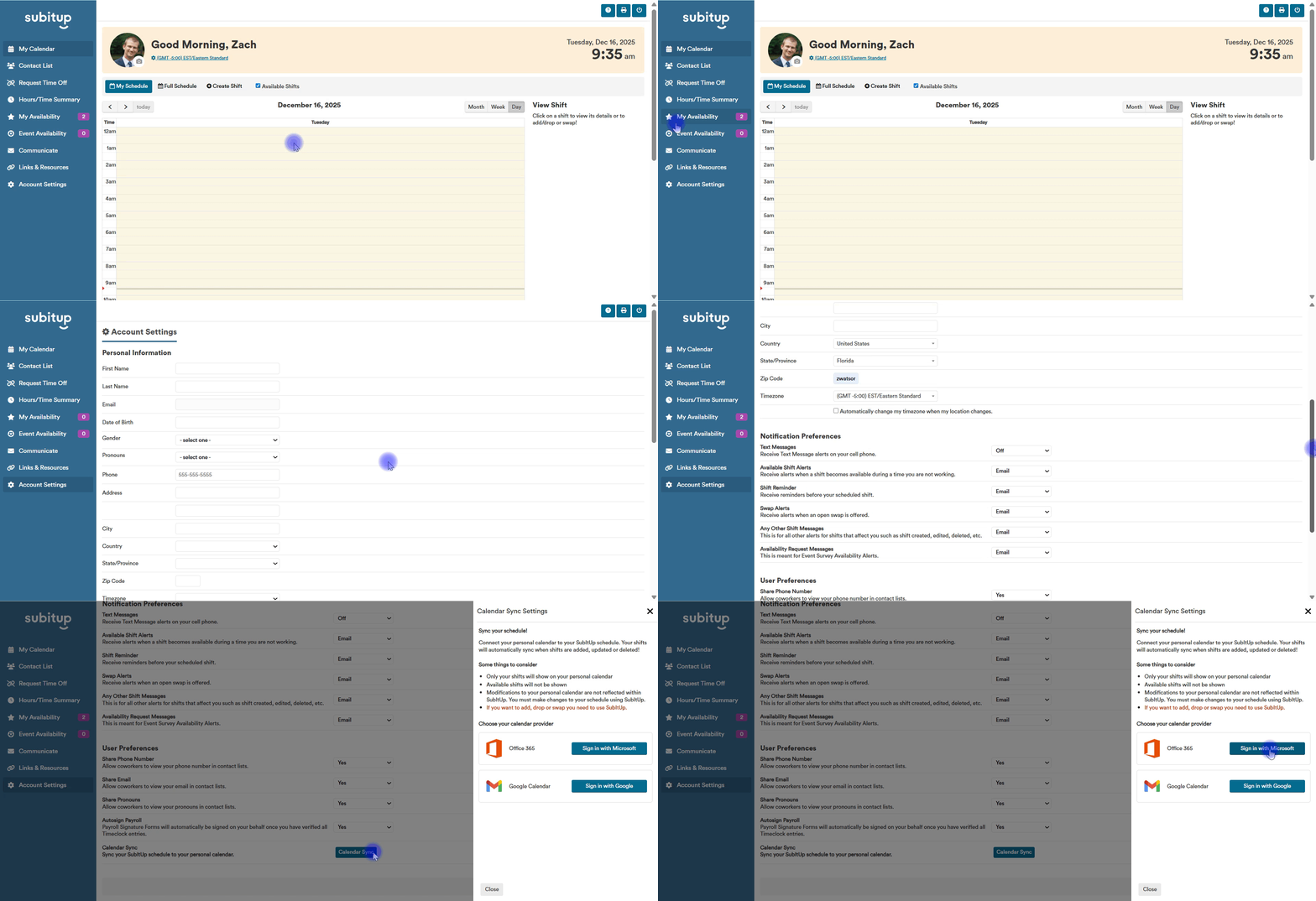
Sync Your Calendar
-
Log into SubItUp as an Employee on a desktop or laptop.
-
Click Account Settings.
-
Scroll down and select Calendar Sync.
-
Choose Outlook or Google.
-
Log in to your selected calendar account.
Your shifts will appear on your calendar within a few minutes and will automatically update if changes are made in SubItUp.
Important
Changes made in your personal calendar will not update in SubItUp and cannot be seen by your manager.
If you need to add, drop, or swap shifts, those actions must be completed directly within SubItUp.