![subitup-white-small.png]](https://support.subitup.com/hs-fs/hubfs/subitup-white-small.png?height=40&name=subitup-white-small.png)
In this article:
- How to view the history of an individual shift
- How to view the history for a position
To view the history of an individual shift:
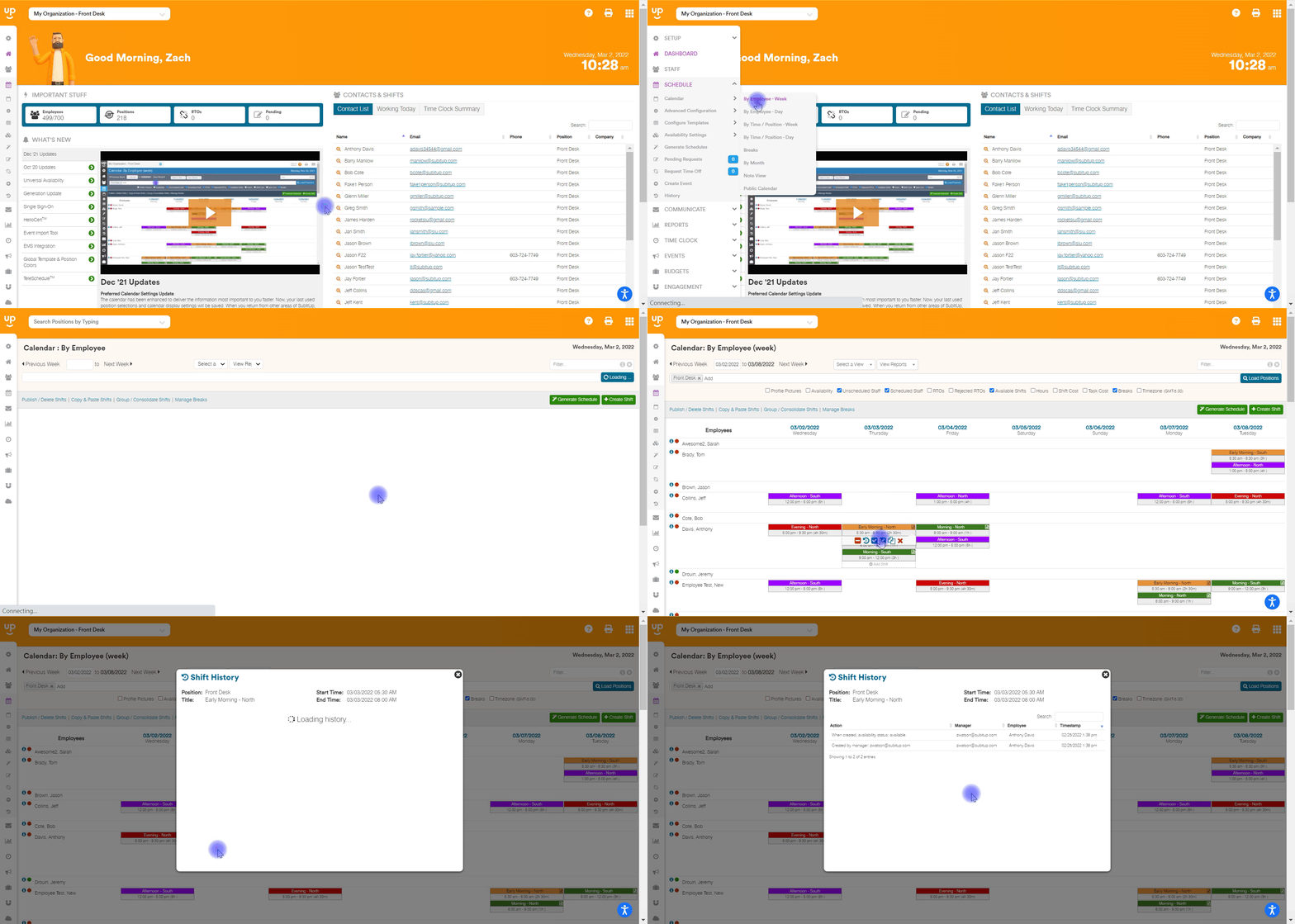
- In the left-side toolbar, select SCHEDULE.
- Select CALENDAR and choose your calendar view from the pop-out box.
- Hover your mouse over the shift you’d like to view the history of.
- Click on the CIRCLE ARROW icon.
To view the history for a position:
- In the left-side toolbar, select SCHEDULE.
- Select HISTORY.
- Enter the DATE RANGE.
- Select EMPLOYEE from the drop-down menu.
- Click APPLY FILTER.
Notes:
- The history report is based on the root position selected in the top position drop-down menu.