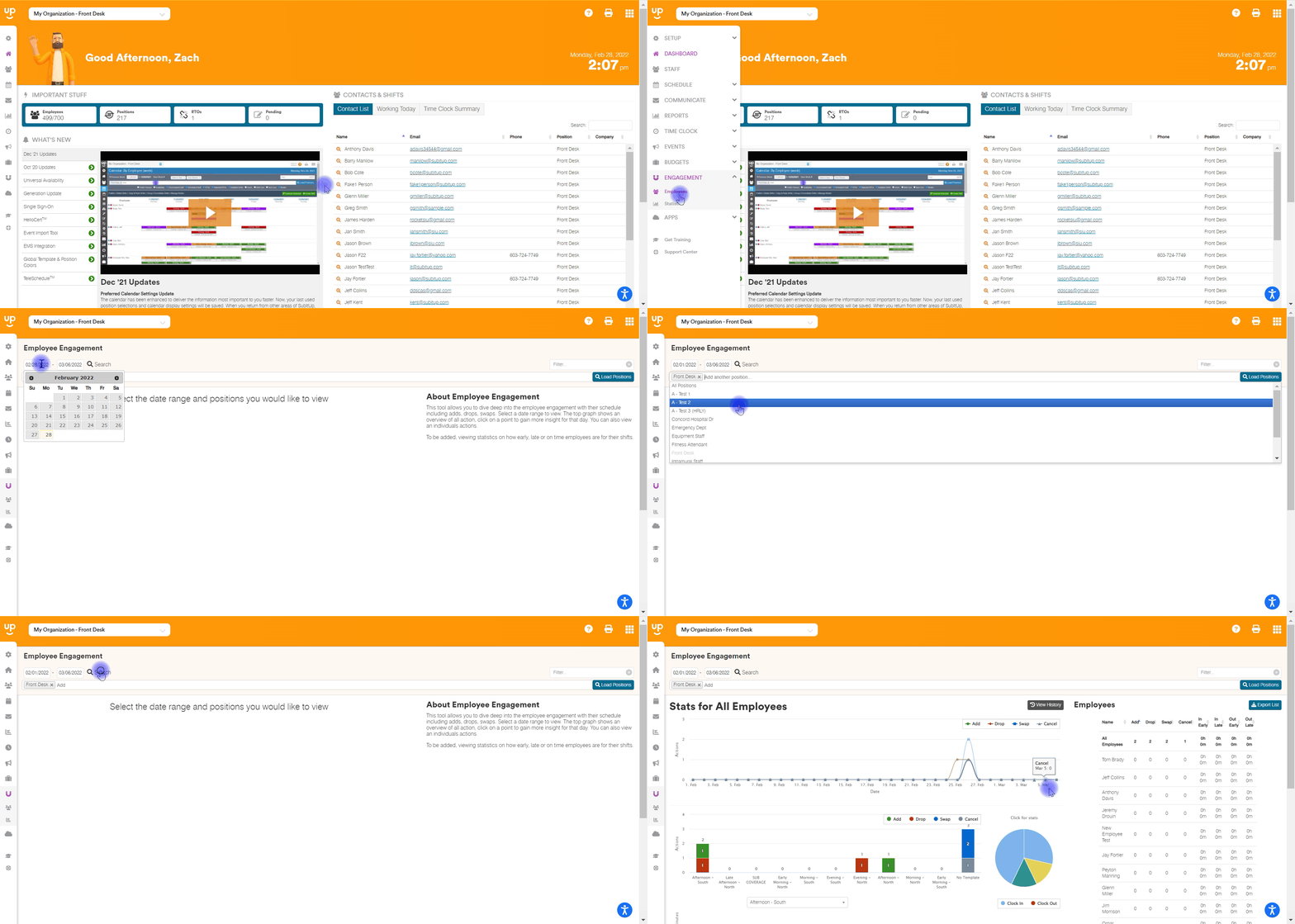
How to view employee shift statistics The staff statistics tool provides valuable insight into staff shift trading, requests for time off, and clock in/out activities. To review employee statistics: In the left-side toolbar, select ENGAGEMENT>EMPLOYEES. At the top of the page enter the START DATE and END DATE Enter the POSITIONS you’d like to generate data for. Click LOAD POSITIONS.
![subitup-white-small.png]](https://support.subitup.com/hs-fs/hubfs/subitup-white-small.png?height=40&name=subitup-white-small.png)