![subitup-white-small.png]](https://support.subitup.com/hs-fs/hubfs/subitup-white-small.png?height=40&name=subitup-white-small.png)
In this article:
- How to turn on/off available shift alerts
- How to turn on/off open swap alerts
- How to turn on/off shift reminders
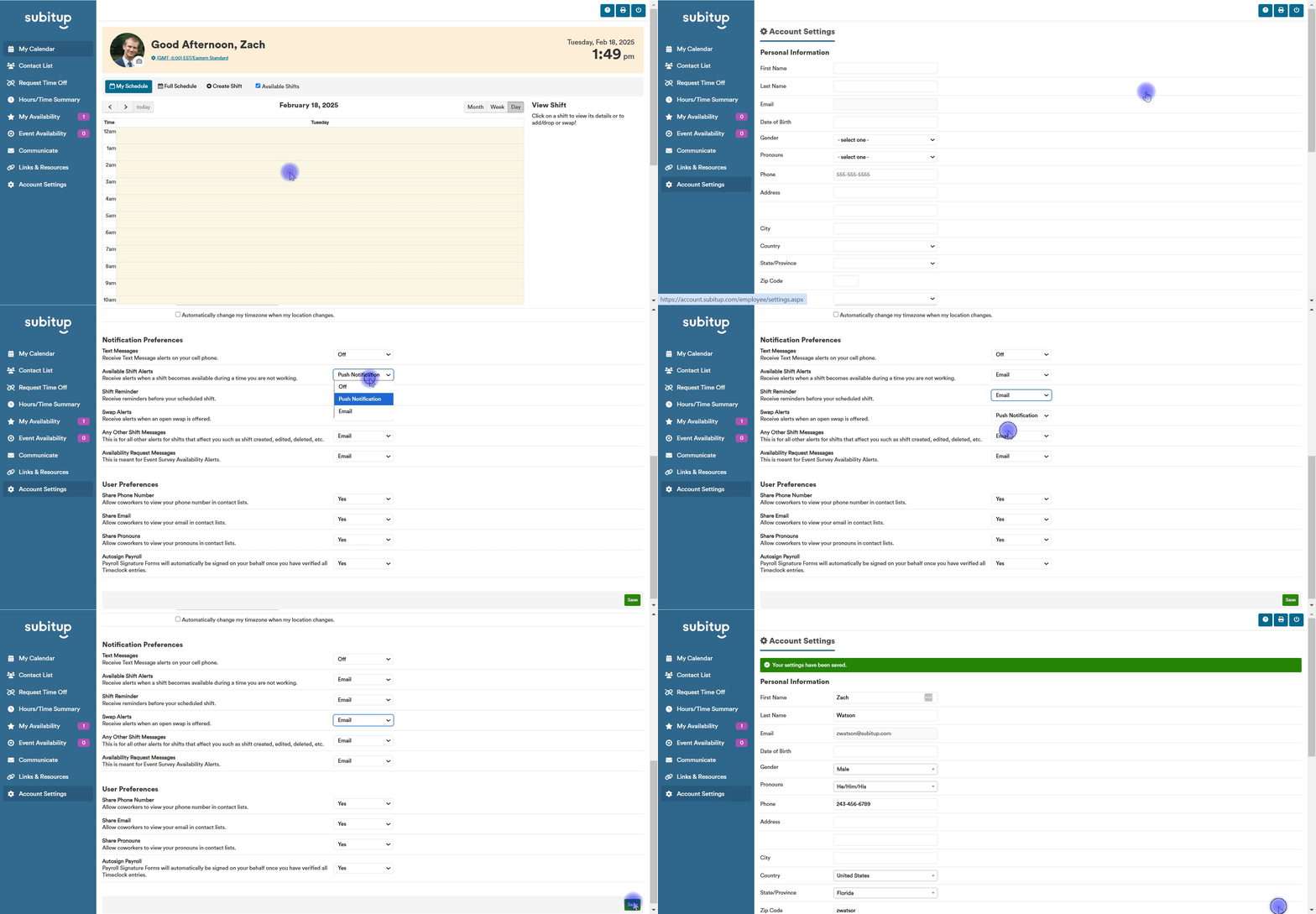
How to turn on/off available shift alerts
Turn on the notification setting to receive an email when a shift becomes available to pick up during a time you are not working.
- Select ACCOUNT SETTINGS in the left-side toolbar.
- In the pop-up box, select the check box next to AVAILABLE SHIFT ALERTS.
- Click SAVE.
You will now automatically receive email alerts when shifts become available.
How to turn on/off swap alerts:
Turn on the notification setting to receive an email when an open swap is offered. As an employee, you can offer up a shift swap to all employees who are a member of the same position.
To turn swap alerts on:
- Select ACCOUNT SETTINGS in the left-side toolbar.
- In the pop-up box, select the checkbox next to OPEN SWAP ALERTS.
- Click SAVE.
You will now automatically receive email alerts when someone initiates an open swap.
How to turn on/off shift reminders:
Turn on the notification setting to receive an email reminder for an upcoming shift. Reminder times are set by your manager.
- Select ACCOUNT SETTINGS in the left-side toolbar.
- In the pop-up box, select the checkbox next to SHIFT REMINDER.
- Click SAVE.
You will now automatically receive email alerts before your scheduled shifts.