![subitup-white-small.png]](https://support.subitup.com/hs-fs/hubfs/subitup-white-small.png?height=40&name=subitup-white-small.png)
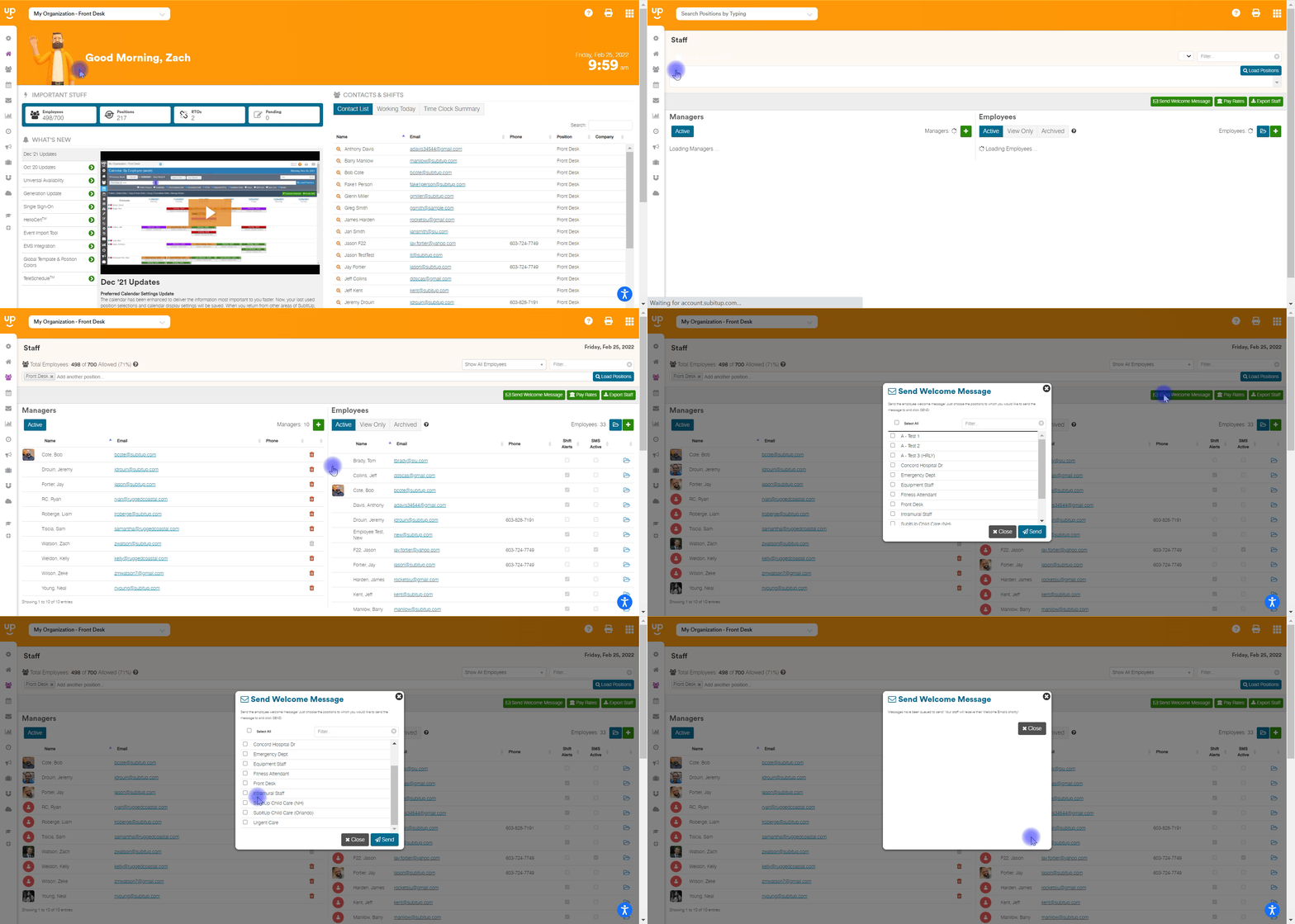
- In the left-side toolbar, click on STAFF.
- In the drop-down, choose STAFF MANAGEMENT
- Click on the green SEND WELCOME MESSAGE ICON in the top-right corner.
- In the pop-up box, choose which positions you wish to send the welcome message to, by toggling the checkboxes next to the stated position.
- Click the blue SEND icon in the bottom-right corner of the pop-up box.