![subitup-white-small.png]](https://support.subitup.com/hs-fs/hubfs/subitup-white-small.png?height=40&name=subitup-white-small.png)
To send messages:
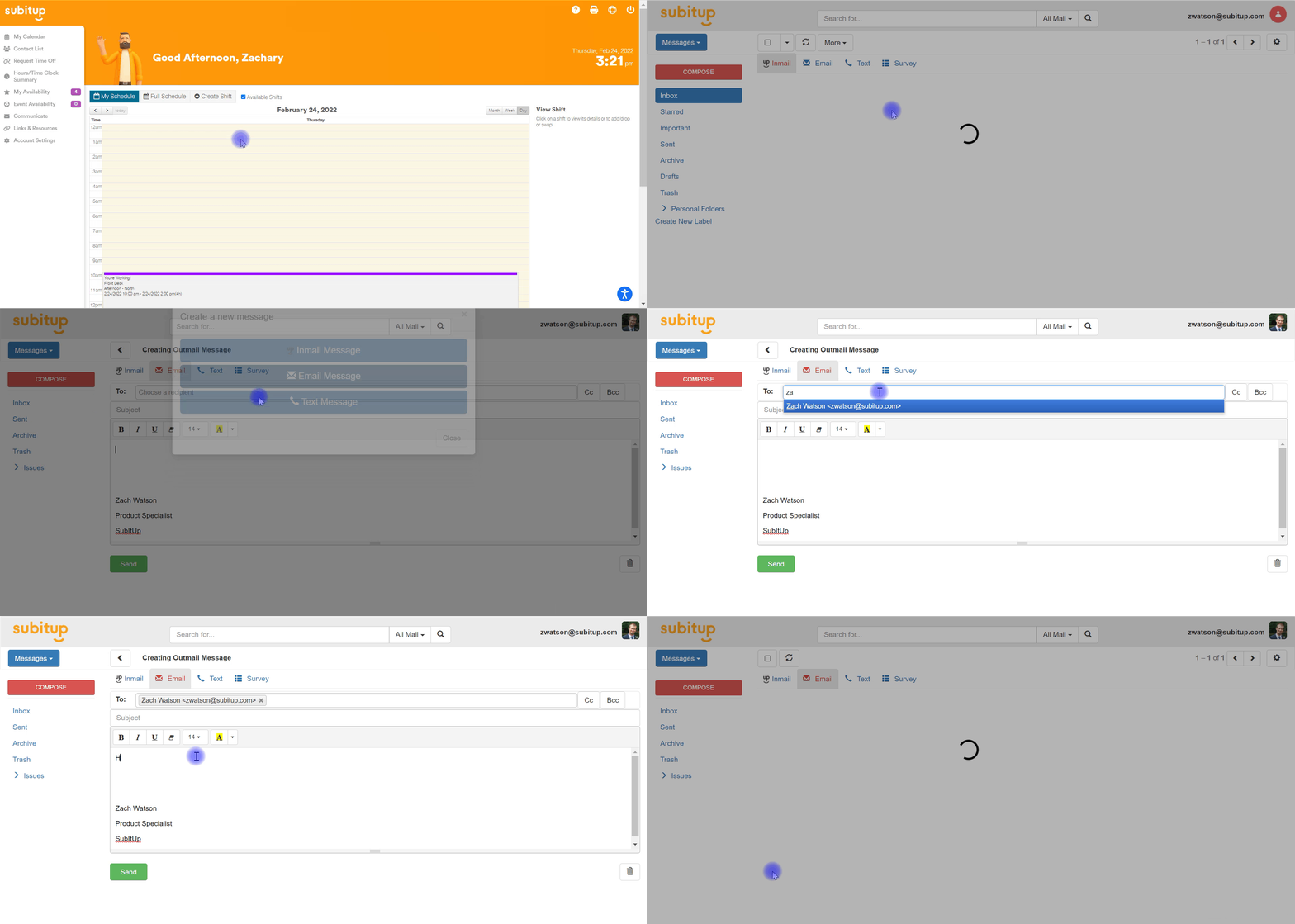
- Select COMMUNICATE in the left-side toolbar.
- Select the red COMPOSE icon in the top-left corner of the screen.
- Select how you wish to send your message.
- To send your message through the SubItUp communication system only, select INMAIL MESSAGE.
- To send your message to your recipient's email address, select EMAIL MESSAGE.
- Select your recipient(s) in the top text bar marked TO:
- Enter your subject and compose your message in the large textbox.
- Select the green SEND icon in the bottom-left corner of the screen.