![subitup-white-small.png]](https://support.subitup.com/hs-fs/hubfs/subitup-white-small.png?height=40&name=subitup-white-small.png)
To reset your SubItUp account password:
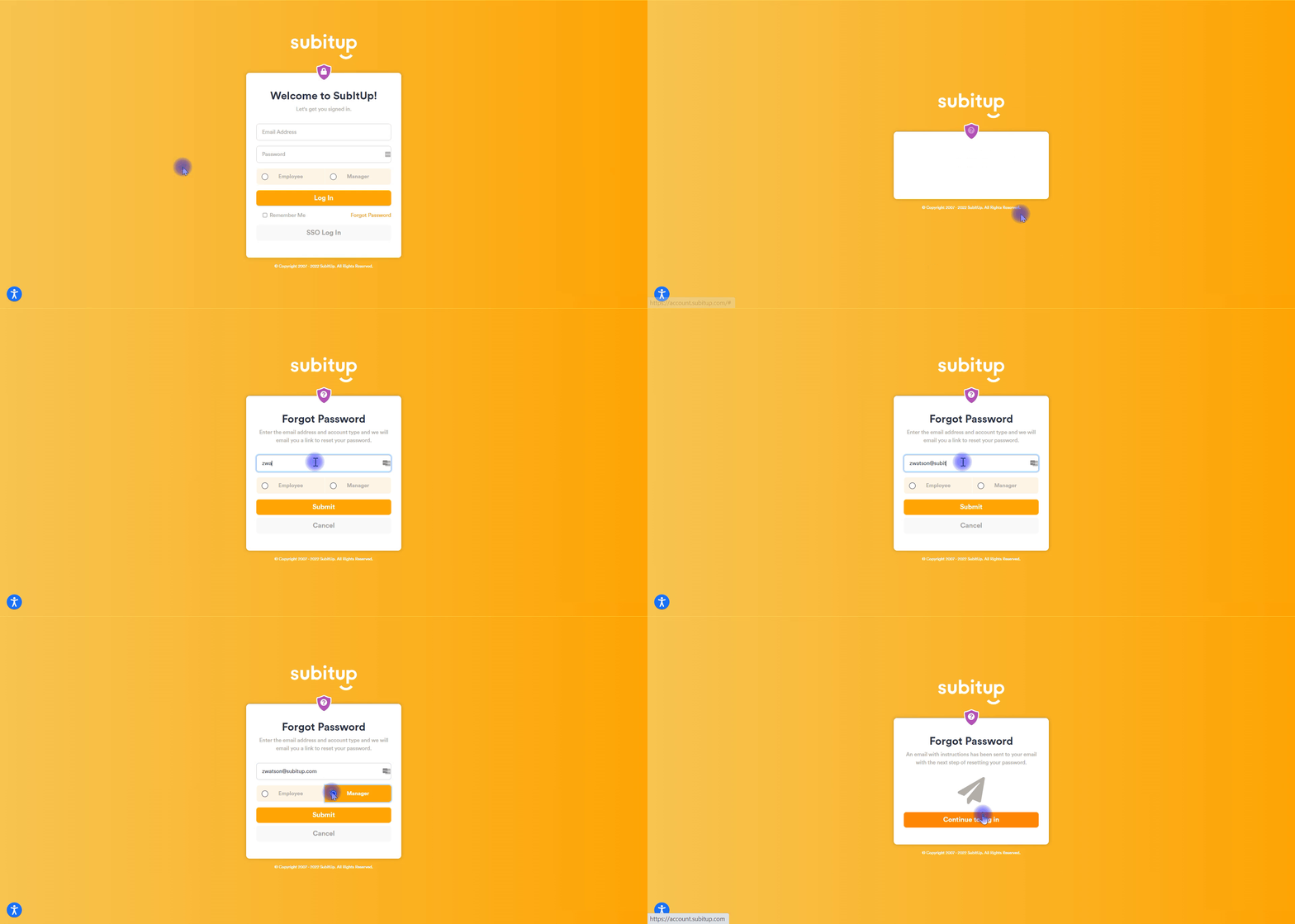
- Go to account.subitup.com
- Click FORGOT PASSWORD.
- Enter the email address you used to create your account.
- Select MANAGER.
- Click the SUBMIT REQUEST button.
Check your email inbox for directions on how to create a new password.