![subitup-white-small.png]](https://support.subitup.com/hs-fs/hubfs/subitup-white-small.png?height=40&name=subitup-white-small.png)
How to reset an employee’s password:
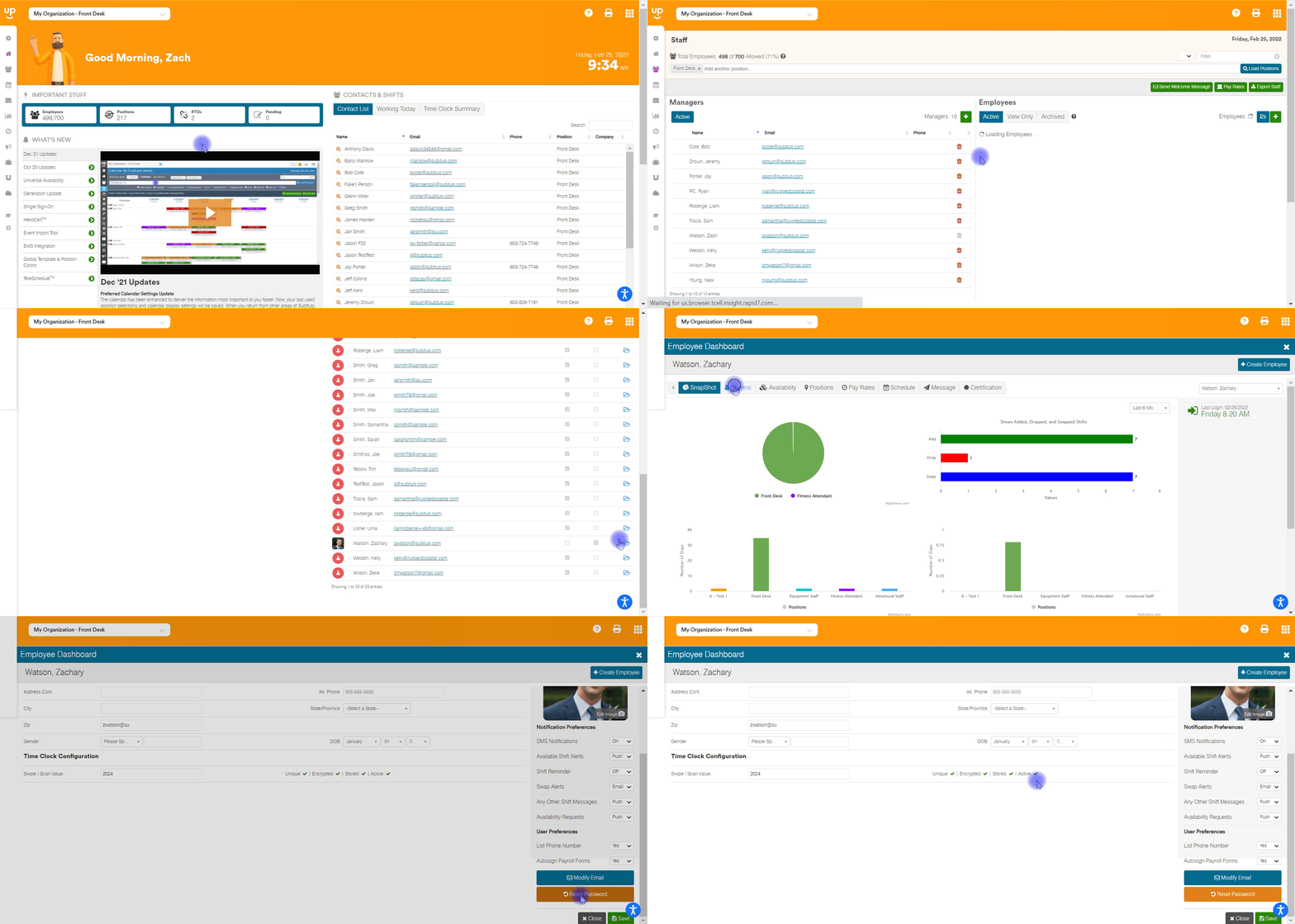
- In the left-side toolbar, select STAFF.
- Under the employee section, select the EMPLOYEE NAME.
- At the top of the page select the GENERAL.
- On the bottom-right of the page, click on RESET PASSWORD.
- Click SEND RESET EMAIL.
- Click CLOSE.