![subitup-white-small.png]](https://support.subitup.com/hs-fs/hubfs/subitup-white-small.png?height=40&name=subitup-white-small.png)
To add an available shift:
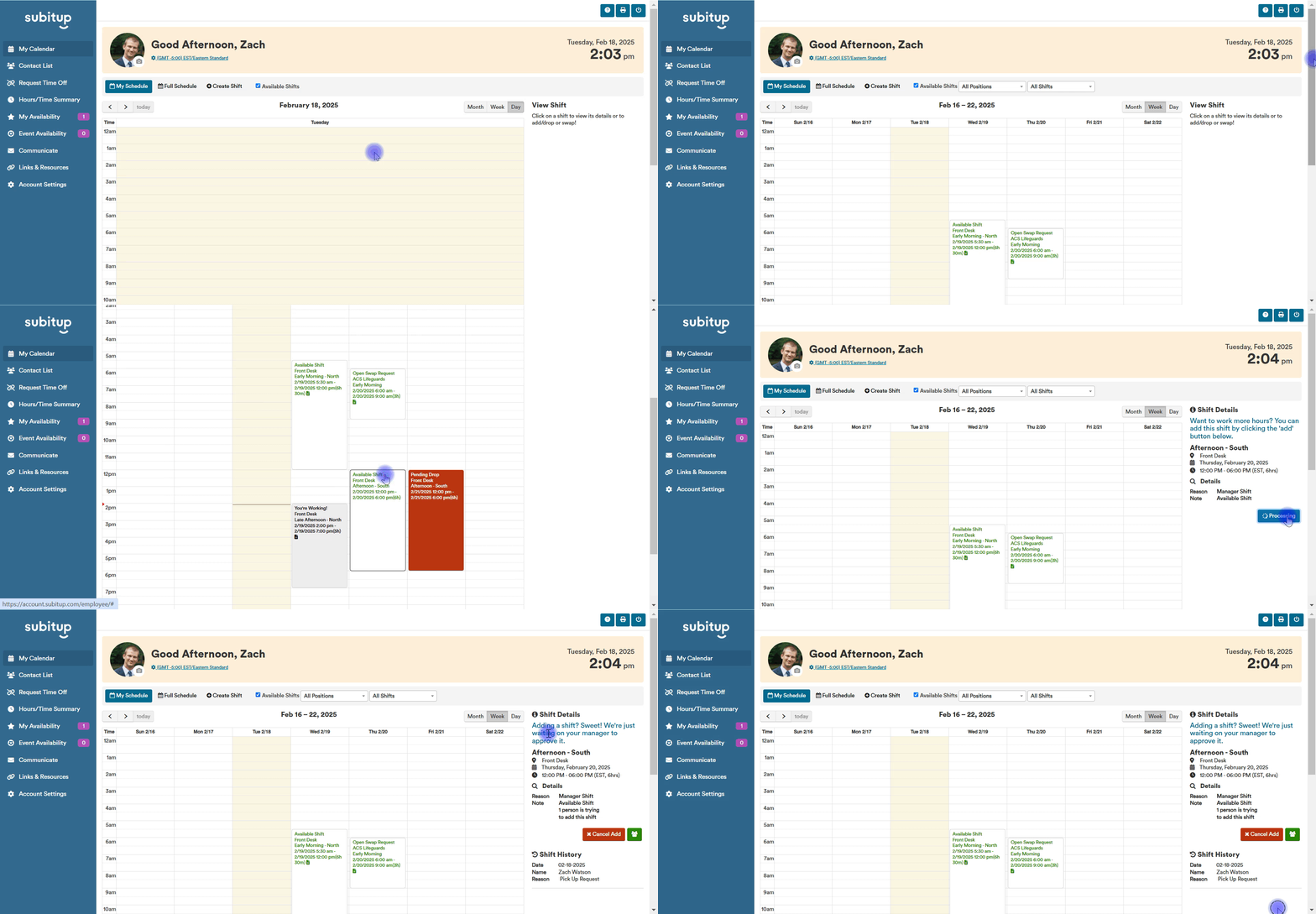
- Select MY CALENDAR in the left-side menu.
- Click on the MY SCHEDULE tab at the top of the screen.
- Choose the MONTH, WEEK, or DAY view.
- Check the AVAILABLE SHIFTS box at the top of the screen.
- All available shifts will show up in the calendar in green text.
- Click the shift that you would like to add.
- On the right-side menu, click ADD.
Notes:
- If adding a shift requires manager consent, the request will be sent to your manager for approval before being finalized and posted on your calendar.