![subitup-white-small.png]](https://support.subitup.com/hs-fs/hubfs/subitup-white-small.png?height=40&name=subitup-white-small.png)
To run an hourly availability report:
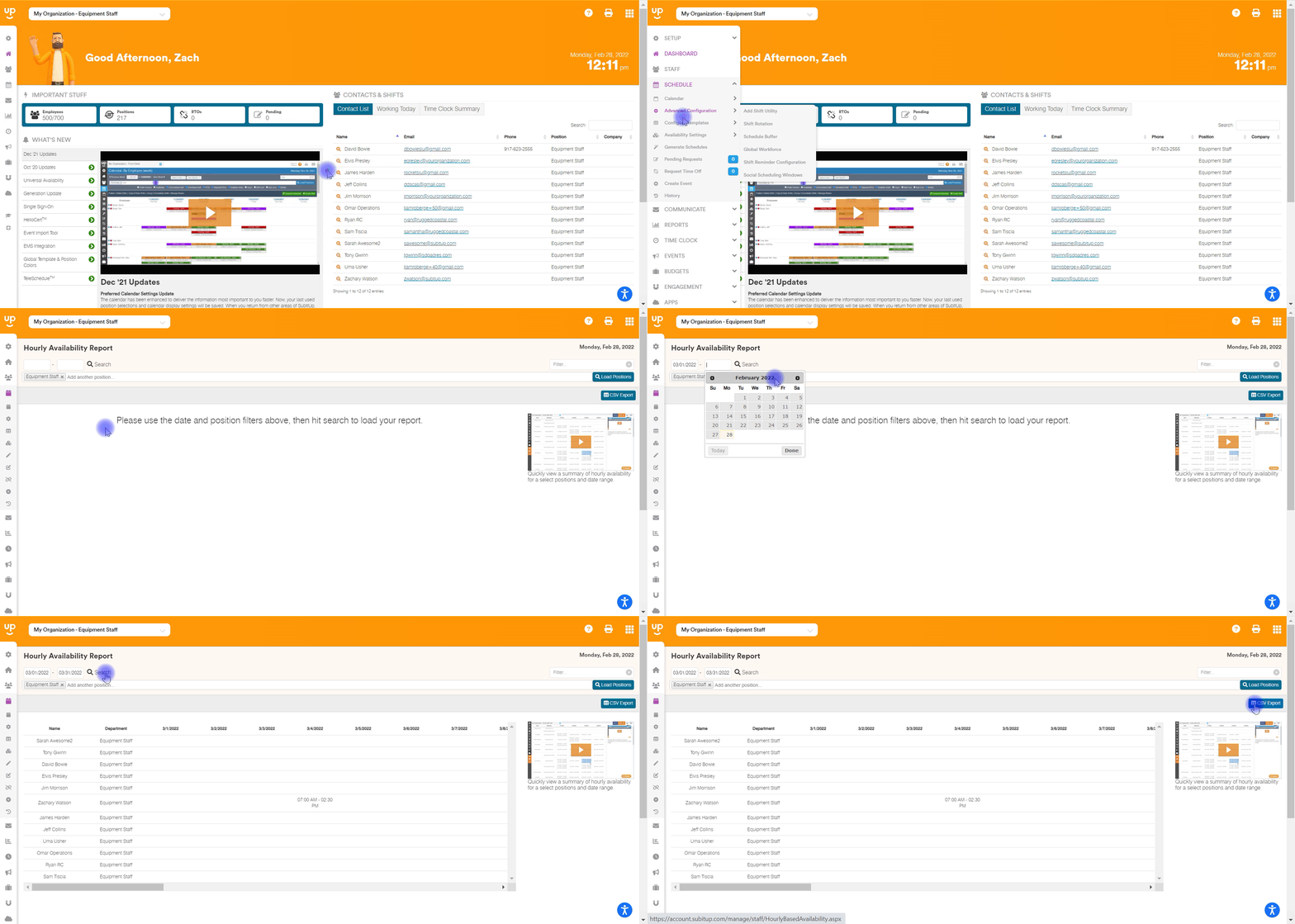
- In the left-side toolbar, select SCHEDULE > AVAILABILITY SETTINGS > HOURLY AVAILABILITY REPORT.
- On the top-left of the page enter a START DATE and END DATE.
- Under the date range, you can add additional positions, if applicable. Click inside the white toolbar and select another POSITION. Repeat as needed.
- On the far right, click on LOAD POSITIONS.
- At the bottom of the page, use the scroll bar to see report hours or click on CSV EXPORT on the top-right of the page.
Notes:
- This report can be generated for hourly-based positions only. To see a shift-based position report, click here.
- Shift templates must be created prior to using this tool. Click here to learn how to create shift templates for hourly-based positions.