![subitup-white-small.png]](https://support.subitup.com/hs-fs/hubfs/subitup-white-small.png?height=40&name=subitup-white-small.png)
How to edit your availability:
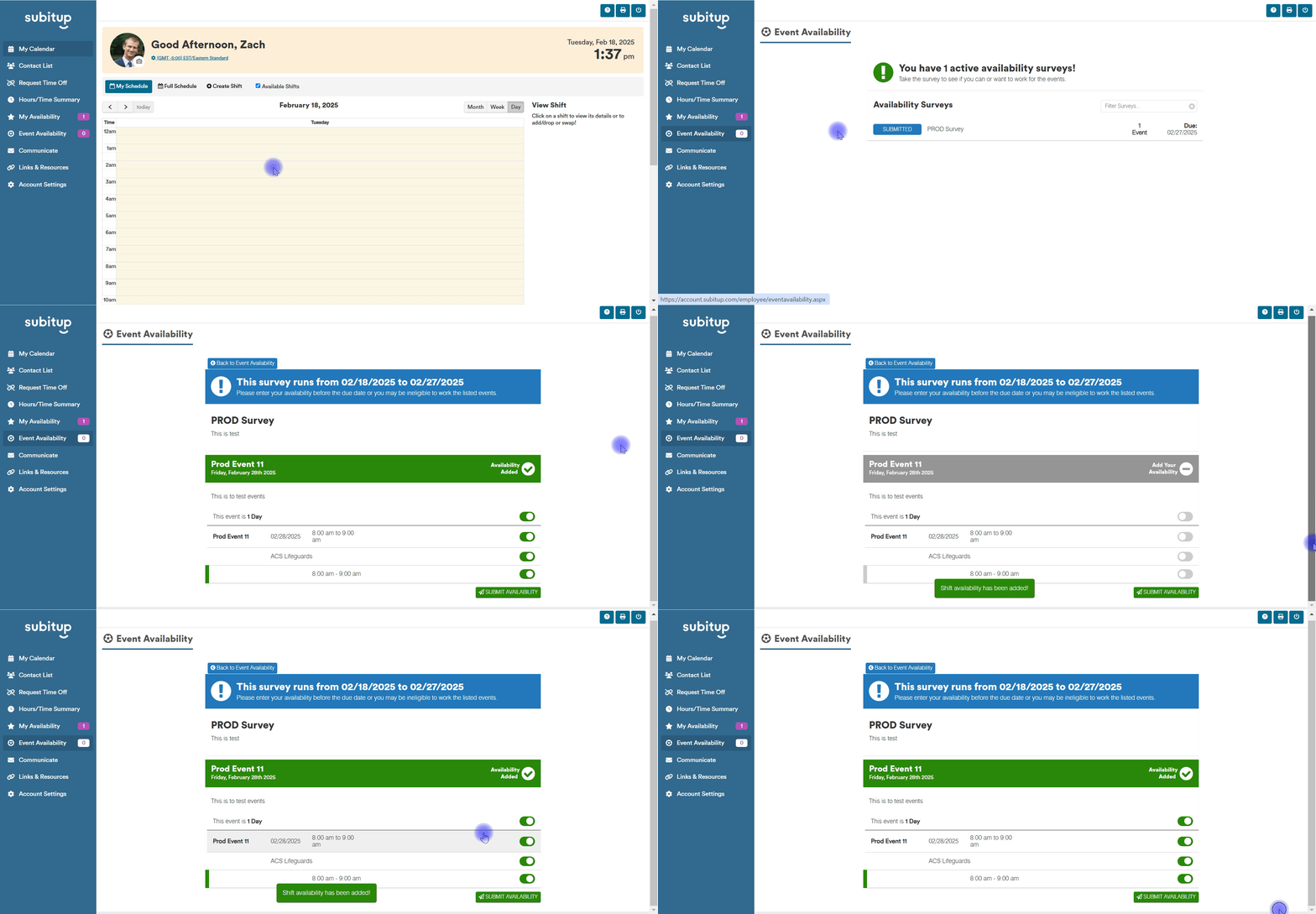
- Click on EVENT AVAILABILITY on the left-side toolbar.
- If a survey is still active, but you have already submitted availability for it, click on SUBMITTED next to the survey name.
- Change any of the events, shifts, days, or times that you originally inputted.
- Input any notes you have for the manager in the text bar and click SUBMIT AVAILABILITY.
- Your availability has been entered. To make further changes, click MAKE EDITS in the pop-up box. To view other active surveys, click VIEW SURVEYS.